

There’s no magic solution for children struggling with literacy, but there are ways to get back on track.
Wordshark has specialised in helping children to read and spell for over 20 years.
In the early nineties, special needs teacher Ruth was concerned about her students and her own two dyslexic children. She needed a product to help them so decided to create one that would tick all the boxes:

- Positive and engaging – Exciting, multi-sensory activities that draw you in
- Adaptable – Content and options to meet the learning needs of every child
- Provide repetition but also develop skills – Each game with a purpose. Lots of games – for variety
- Build confidence – A positive learning experience for children that find reading and/or spelling difficult
Features and content:
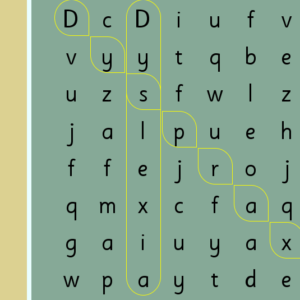
For dyslexia
Many features, such as the games format and word lists, make Wordshark ideal for students with dyslexia. Siblings, including confident spellers, will also benefit from using Wordshark.
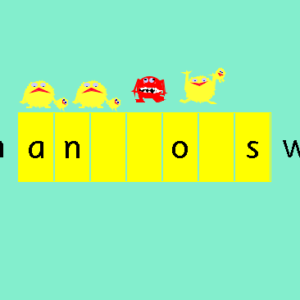
Games offering variety and fun
Each game helps with a different way of learning to read or spell. Games cover word recognition, sentences, alphabet skills, phonics and more. There are also short reward games.
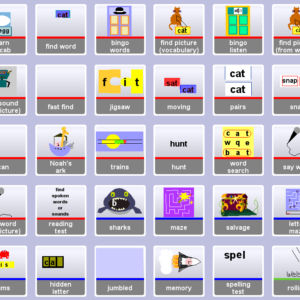
Wordshark is easy to use
Simply toggle between two screens: the words screen and the games screen. You can use the ‘search’ box to find particular words, and use the settings for extra choices.
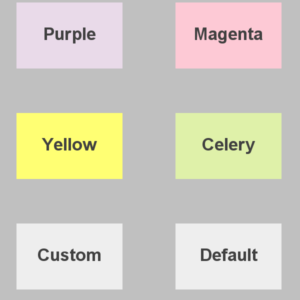
Adaptable
Children can work on the exact words that they need to learn. There’s also the option to add your own choice of words, and to personalise the program in many different ways.
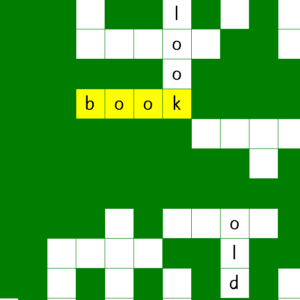
For students aged 5-15
The choice of games, words and options make Wordshark suitable for children in primary and early secondary school, plus you can create your own word lists for homework.
3 steps to success
1) Pick a list of words or add your own words. 2) Use a mixture of games (not only the favourites!). 3) Play the games for 10-15 mins per day…little and often is what really works.
What do you need Wordshark for?





Why it works
The range of activities in Wordshark is perfect for keeping learning fresh and exciting. Each game focuses on improving a specific reading or spelling skill. You can adapt it to the learning level and pace of your child, and extra options allow more personalisation. For example, you can change the background colour to make it easier to read the words. You can slow down or speed up games, or choose your own words, pictures or sprite!
- Every game builds a reading or spelling skill
- It’s highly adaptable – brilliant for a wide range of different needs
- Games are fun and motivating, with success building confidence
- Children can work at the level and pace that’s right for them, helping them improve faster
Learn more about how to use Wordshark 5… Product Tour
‘Wordshark Online’ – UK School product
Wordshark Online is a new web-based service for schools that children will also be able to access, free of charge, at home. Wordshark Online is suitable for devices such as iPads and most tablets as well as PCs and Mac computers.
If your school or tutor HAS a subscription…
Ask your school or tutor if they have this online edition of Wordshark. If they do, ask if your child can be given login details to start accessing Wordshark!
If your school or tutor has NOT subscribed yet!
They can read all about Wordshark Online by clicking here and can request a free trial. Or, if you’d like to try out Wordshark yourself, you can sign up to a trial via a tutor plan