
Tel: 020-8748-5927

Numbershark

Numbershark at Home

What is Numbershark and how does it work?

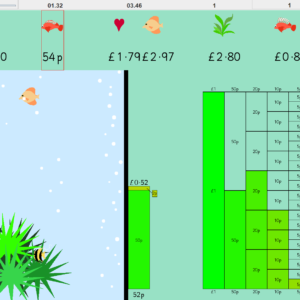
Numbershark is a motivating computer program that uses 45 games to teach and reinforce numeracy and improve understanding and use of numbers. The wide variety of carefully designed games provide many ways in which to practise the same information.

There are over 500 topics to choose from, addressing each of the following number operations:

+   Addition        -  Subtraction        X  Multiplication        ÷  Division

 PLUS....

½  Fractions     1.2  Decimals     %  Simple Percentages       ...in very gradual steps

The program in basic steps:

Step 1: The program in basic steps:Select a list of ‘sums’ from the ‘topics’ eg 7 x table, easy adds to 100... To get to the database of ‘topics’, click on ‘choose topics.’  Numbershark gives a fresh set of ‘sums’ each time a topic is selected.

Step 2: Click on one of the 45 games icons..
To get to the icons, click on ‘choose games.’ (Your chosen list of sums will be applied to specific games.)

Step 3: Enjoy playing your game! Then try the reward activity...

Step 4: Pick a new game!..

Step 5: When the topic is learnt, choose a new one!

The program comes with an A4 size manual including advice on use of the program. There are also on screen help boxes for every game.

For what ages is it suitable?

Numbershark is most often used by students between 6 and 15. Most games are appropriate for any age although a few of the games are more suitable for younger children.

Older students, with reasonable number skills, use Numbershark to improve their mental maths - sometimes before exams.

Will Numbershark help with poor numeracy?

The program addresses many of the difficulties which lead students to dislike maths. These include poor short term memory, limited attention span and poor sequencing skills.

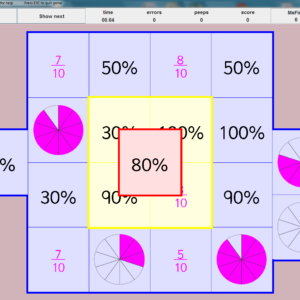
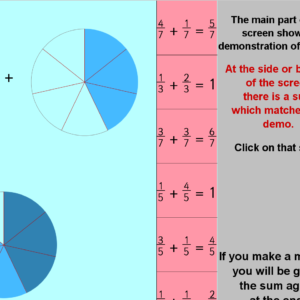
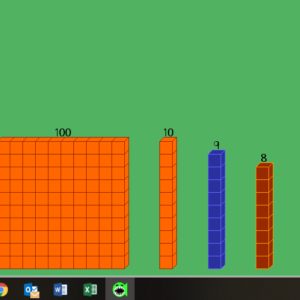
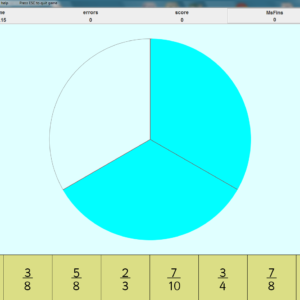
To help those with dyslexia and dyscalculia, many of the games give a visual idea of what is happening when you add, subtract, multiply or divide. Fractions and decimals are also shown visually. Variable speeds and other options meet all grades of skill.

Most games have no time limit so students have space to work out their number strategy and to build confidence.

How can Numbershark be used at home?

Numbershark can either be used directly to support what is being learnt in school or used independently to gain confidence in number bonds and tables and number operations where there are gaps in knowledge.

Once students are set up by the administrator the program will keep a note of their names and personal settings.

It is recommended that the sessions are short but frequent as this not only maintains the child's interest but gives the necessary practice needed for success.

There are no hard and fast rules, but generally, three or four short sessions a week (about 10-15 minutes each) seem to work really well to achieve significant gains.

It is good to be aware that some children need to go over what seems to be very basic work before moving on in order to make real progress. Equally, some children need to be encouraged to move on.

Parents should always follow the progress of their children and encourage them to try a variety of both reading and spelling games and to progress through the number topics.

There is a special chapter in the manual which sets out ideas for using the program at home.

Can Numbershark be used with more than one child?

Yes. The program will allow you to set up a user file for any number of students. They will each be able to work at their own level and keep their personal settings and a record of their progress.

Numbershark can also be used on any number of computers, although the CD does need to be in place during use.

What does Numbershark run on?

The computer will need a CD or DVD drive (or a USB port if the program is purchased on a USB)
  
PCs need Windows XP, Windows 7 (or Windows 8  - but not in touch screen mode)
Apple Macs need OS X version 10.4 to 10.8


shop online


 Number Shark 4 is an excellent piece of software to help children get to grips with all the basics of arithmetic and numeric theory. The games keep them interested and motivated and the learning curve is well designed taking them through a wide range of skills and levels. 

Practical PC Online


 It presents number problems in many many different ways to suit different learning styles and it is all fun as long as you pick a suitable level. Shikasta, Mumsnet


  I love your products, especially the Numbershark. My son who has Dyslexia loves them because they are so much fun, and [offer] such a wide range of choices of games!  E.Young


 The range and variety of the fifty available games allows the necessary repetition and reinforcement of concepts that some students need.  V.Crivelli


 I continue to be most impressed with the program and have recommended it to a number of friends. I also use it at work with Reception children and am encouraged by their interest and motivation to use the wide range of games. Little do they know how much they are learning!  J.Byford


 Numbershark - I defy children not to find Maths fun when using this - it's brilliant.  S.Howse


 Numbershark is very good as a practice program to reinforce skills already taught. Pupils certainly retained information gained from the program...Numbershark proved to be highly motivating. Pupils liked playing the games and put a lot of effort into solving the problems to get to the reward activity.  M.Barr  Evaluation by TEEM


 It gives users the chance to build up confidence, and the opportunity to practise those aspects of numbers that worry them, in an enjoyable way. BDA I.C.T.